VM Storage on a NAS: Best Setup for Your Homelab in 2026
Picking storage for virtual machines can feel like a big decision. If you store your VMs on a NAS, you unlock live migration, simpler backups, and the freedom to move workloads between hosts without touching a screwdriver. Dedicated options like storage area networks (SANs) also have their place—especially at larger scale or when you need the lowest possible latency.

Pick the right setup in 60 seconds
-
Local-first: Put your hypervisor and VM disks on local NVMe, keep ISOs, backups, and media on the NAS.
Use this if you run one host and mostly want snappy VMs. -
NAS datastore: Put VM disks on the NAS via NFS or iSCSI (or SMB 3 for Hyper-V).
Use this if you run two or more hosts, want easy host swaps, or plan to move VMs between machines. - Dedicated storage: Consider enterprise-style storage only if you need consistently low latency for heavy databases, VDI, or a large VM fleet.
Quick rule: If your lab feels slow, check link speed (1G vs 2.5G vs 10G) and disk type (HDD vs SSD/NVMe) first. Those two decide most outcomes.
Cost Considerations
- Lower upfront costs: NAS uses standard Ethernet gear and is available at consumer and prosumer price points. You can get started for a few hundred dollars and scale up later.
- Higher entry cost for dedicated storage: SANs and similar systems need specialized components, such as Fibre Channel switches or enterprise iSCSI arrays, which often run into the thousands.
- Total cost of ownership: For small and mid-size environments, the licensing, networking, and operational overhead of SANs can outweigh the benefits. NAS often wins on value for these use cases.
If you’re leaning toward NAS for value and flexibility, it helps to compare real-world options and what you can scale into over time. You can browse UGREEN NAS storage models to see what “a few hundred dollars to start” looks like in practice—and which systems make it easy to expand as your capacity needs grow.

Ease of Use and Management
- Fast setup: Most NAS units offer step-by-step wizards. You can present storage to a hypervisor in minutes using NFS or iSCSI.
- Simple day-to-day work: Web dashboards make it easy to expand volumes, add users, check health, and review alerts from any browser.
- Helpful built-ins: Common features include snapshot scheduling, replication options, VM-aware backup integrations, and mobile apps for quick checks.
Performance Analysis
Comparison Table: NAS vs. Dedicated Storage for VMs
| Aspect | NAS | Dedicated Storage (SAN) |
|---|---|---|
| Performance | Adequate for small/medium workloads; network-dependent | High IOPS, low latency for demanding workloads |
| IOPS | Limited by HDDs and network; SSDs improve but still lag | High IOPS with enterprise-grade hardware |
| Latency | Higher due to network and protocol overhead | Lower with direct connections (e.g., Fibre Channel) |
| Throughput | Decent but limited by network bandwidth | High, consistent throughput |
| Scalability | Expandable with drives; less seamless for large VM clusters | Built for large-scale deployments |
| Features | Basic features; may lack advanced VM tools | Supports advanced features like vMotion, replication |
Speed and responsiveness
NAS performance for VMs depends on network speed, storage media, and protocol choice. A 10 GbE link with SSDs feels snappy for general server VMs, small databases, and dev environments. Heavy, latency-sensitive workloads still benefit from dedicated storage.
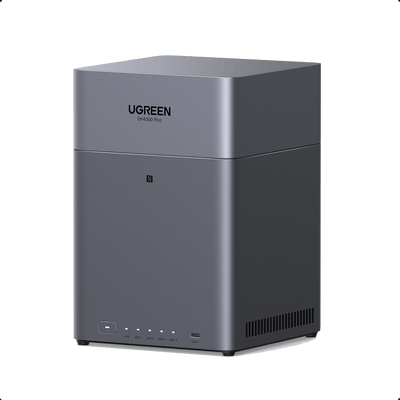
For home labs or small business setups, a 4-bay NAS with 10GbE and NVMe can be a practical middle ground—enough throughput for responsive general-purpose VMs while still leaving room to scale storage. If you’re sizing a VM host, it’s worth checking those networking and caching specs up front so you don’t bottleneck on I/O later.
{{UGPRODUCT}}
Disk layout rules for VM I/O
VM disks create lots of small random reads and writes: updates, logs, swap, metadata, database pages. That pattern is where drive choice and RAID layout matter.
- Optimize for IOPS, not MB/s: A single HDD can look fine on sequential transfers but still feel sluggish for VMs.
- Prefer SSD/NVMe for active VM datastores: If you run several VMs or write-heavy services, SSD-backed storage is the easiest win.
- Pick RAID for random I/O: RAID 10 is usually smoother for VM-heavy I/O on HDDs; RAID 5/6 trades capacity for higher write overhead, especially during rebuilds.
- Avoid SMR for VM storage: SMR drives can stall badly under sustained writes and during rebuilds. Use CMR for predictable performance.
- Treat cache as optional: Read cache can help repeats; write cache adds complexity and depends on safe power-loss handling.
Handling multiple VMs
NAS can run several VMs comfortably. As you scale to dozens with sustained heavy I/O, network contention and disk queues become the limiting factors. That is where dedicated storage earns its keep.
Tips to boost NAS performance for VMs
- Use 10 GbE or better, and keep hosts and NAS on the same switch path.
- Prefer NFS or iSCSI for VM datastores. For Hyper-V, SMB 3 or iSCSI are common.
- Add SSDs for primary storage or as read/write cache.
- Enable snapshots and caching wisely, and avoid oversubscribing RAM or CPU on the NAS.
- Separate VM traffic from user file traffic with VLANs or dedicated ports.
- Keep average utilisation moderate and schedule heavy jobs during off-hours.
Flexibility and Integration
- One box, many roles. A NAS can handle file shares, backups, and VM storage in a single chassis. That saves space and budget, because how a NAS works on your network is essentially the same foundation that enables all three.
- Hypervisor friendly. Most NAS platforms offer ready-made NFS or iSCSI targets, plus plug-ins or guides for VMware, Hyper-V, Proxmox, and others.
- Easy growth. Add drives, attach expansion units, or tier to cloud storage as needs rise.
When Dedicated Storage Makes Sense
- Low-latency, high-IOPS workloads. Large transactional databases, heavy VDI, latency-sensitive analytics, or real-time apps benefit from Fibre Channel or high-end iSCSI.
- Large fleets of hosts. Hundreds of VMs across many hosts are easier to scale and manage with arrays built for that size.
- Advanced data services. If you require strict multipath policies, synchronous replication across sites, or guaranteed QoS at scale, dedicated storage is the safer pick.
Cost Considerations for Enterprises
Although SANs cost more up front, the operational benefits at scale can reduce downtime, improve performance consistency, and simplify growth. For many small and mid-size teams, NAS remains the value choice. For large enterprises, dedicated storage often pays off over time.
Conclusion
NAS wins for many VM projects because it is affordable, quick to deploy, and flexible. It is a great fit for home labs, small businesses, and mid-size teams that want one system for VMs, files, and backups. If your environment is large, latency-sensitive, or compliance-heavy, a dedicated platform may be the better long-term foundation.
FAQ: NAS Storage for VMs
How does NAS handle disaster recovery and VM backups?
Most NAS platforms include snapshot and backup tools and integrate with popular backup software. You can schedule VM-aware backups and replicate snapshots to a second NAS or the cloud. NAS can restore quickly from these backups, but features such as instant failover or synchronous replication are usually stronger on dedicated enterprise arrays.
What are the security implications of using NAS for VM storage?
NAS offers encryption at rest, access controls, and secure protocols. Because it is network-attached, your overall security depends on the LAN too. Use strong authentication, separate management networks, and current firmware. With sensible hardening, NAS is secure enough for most teams, while dedicated arrays may add extra layers and certifications.
How does NAS performance scale as VM count grows?
NAS handles a small to medium number of VMs well. As you add more hosts and heavy workloads, network bandwidth and disk I/O become bottlenecks. Dedicated storage scales more cleanly for very large deployments.
Can I migrate from NAS to a dedicated solution later?
Yes. Plan the move, schedule maintenance windows, and use your hypervisor’s migration tools to shift VM storage. It is not instant, but it is achievable. If rapid growth is likely, factor migration time and cost into today’s choice.