

UGREEN Storage
-
UGREEN NASync DXP4800 Plus
Regular price From $656.99Sale price From $656.99 Regular priceUnit price per$729.99 -
UGREEN NASync DH2300
Regular price From $199.99Sale price From $199.99 Regular priceUnit price per$219.99 -
UGREEN NASync DXP2800
Regular price From $389.99Sale price From $389.99 Regular priceUnit price per$439.99 -
UGREEN NASync DH4300 Plus
Regular price From $399.99Sale price From $399.99 Regular priceUnit price per$439.99 -
UGREEN NASync DXP4800 Pro
Regular price From $719.99Sale price From $719.99 Regular priceUnit price per$799.99 -
UGREEN NAS 120W DC Uninterruptible Power Supply
Regular price $109.99Sale price $109.99 Regular priceUnit price per$124.99 -
UGREEN NASync DXP6800 Pro
Regular price $1,099.99Sale price $1,099.99 Regular priceUnit price per$1,209.99 -
UGREEN NASync DXP8800 Plus
Regular price $1,369.99Sale price $1,369.99 Regular priceUnit price per$1,509.99 -
UGREEN NASync DXP4800 GT
Regular price From $559.99Sale price From $559.99 Regular priceUnit price per$659.99 -
UGREEN NASync DXP480T Plus
Regular price From $799.99Sale price From $799.99 Regular priceUnit price per$999.99 -
UGREEN NASync DXP2800 GT
Regular price From $429.99Sale price From $429.99 Regular priceUnit price per$509.99 -
UGREEN NASync DXP2800 (Refurbished)
Regular price From $269.99Sale price From $269.99 Regular priceUnit price per$439.99 -
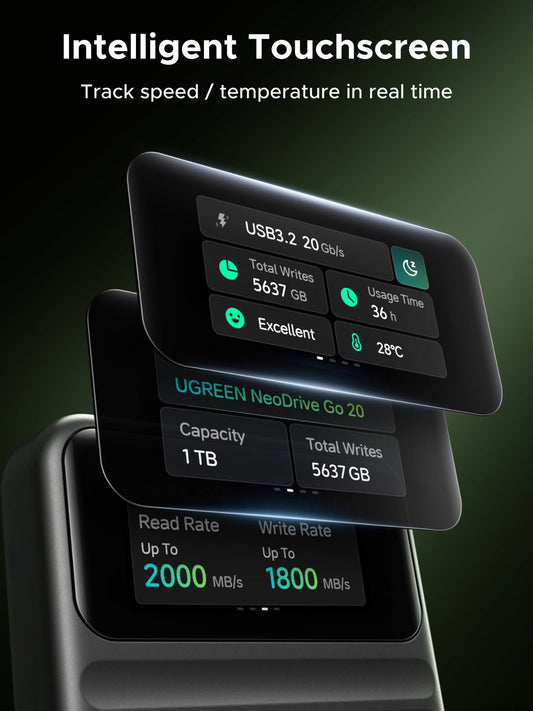
UGREEN NeoDrive Go D709 20Gbps Portable SSD (1TB)
Regular price $229.99Sale price $229.99 Regular priceUnit price per$399.99


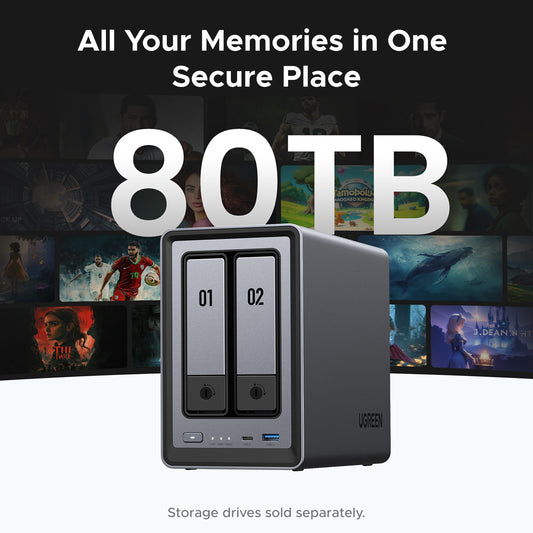




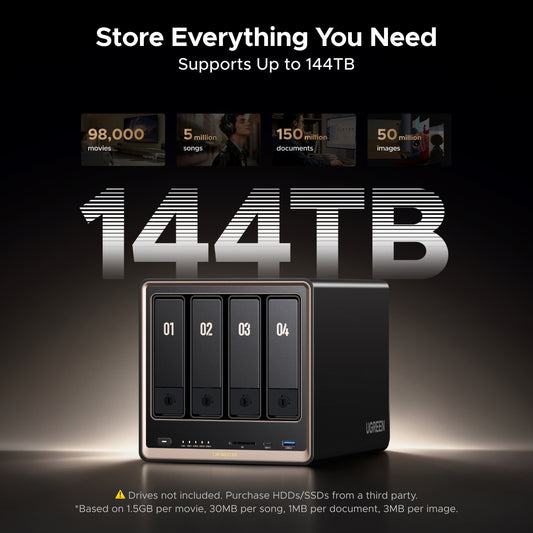


Private Cloud Storage Without Subscription Fees

UGREEN NAS for Home Media and Backup

Built for Demanding Workflows

Your Data, Your Control

Access your NAS server anytime, anywhere

Frequently Asked Questions About NAS Storage
Network-attached storage (NAS) is a dedicated storage device connected to your home or office network, allowing multiple users and devices to access files from one central location. Unlike a USB external drive, which works with only one computer at a time, a NAS can be used by computers, phones, tablets, and smart TVs across the network. NAS devices also support remote access, so you can reach your files even when you are away.
NAS is commonly used for backups, media streaming, file sharing, and as a private alternative to subscription cloud storage. UGREEN NAS systems also support RAID to help protect data against drive failure. To learn more, read our complete NAS storage guide.
A NAS works by connecting storage drives to your network and sharing them through file protocols like SMB or NFS, so computers, phones, TVs, and other devices can access the same files. In practice, it acts like a personal cloud that stays under your control, with local speed, shared folders, and optional remote access. See more in How Does NAS Work.
NAS gives you faster local access, more control, and a one-time hardware cost, while cloud storage gives you off-site access and less hardware to manage. For many users, the best setup is not NAS or cloud, but NAS for primary storage plus cloud for an extra backup layer. Read more in NAS vs Cloud Storage.
For photo backup, document storage, and shared family files, the UGREEN NASync DH2300 (2-bay) are cost-effective starting points. For households that also want a media server (Plex, Jellyfin), faster networking, and Docker support for advanced apps, the UGREEN NASync DXP4800 Plus is the most popular choice — it balances 4-bay capacity, 10GbE networking, and full app support.
The DH series, including the DH2300 and DH4300 Plus, is built for simple, affordable home storage. These models cover the basics, including automatic phone and computer backup, photo management, and everyday file sharing. With fixed memory and no M.2 NVMe slots, they are best for users who want an easy personal cloud without advanced NAS features.
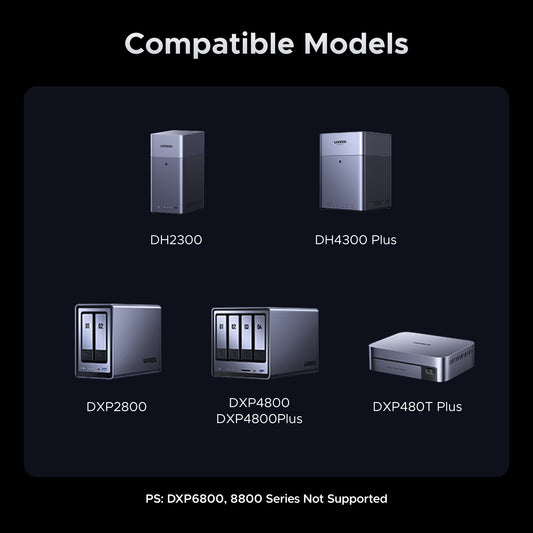
The DXP series, including the DXP2800, DXP4800 Plus, DXP4800 Pro, DXP6800 Pro, DXP8800 Plus, and DXP480T Plus, is designed for users who need more performance and flexibility. It supports expandable DDR5 memory, M.2 NVMe SSD caching, Docker, faster networking up to dual 10GbE, and more advanced workloads such as Plex, Jellyfin, virtual machines, and surveillance.
Compare all UGREEN NAS models side by side on our comparison page.
The UGREEN NASync DXP4800 Plus is the most balanced choice for Plex users — it combines an Intel Pentium Gold 8505 processor with hardware-accelerated 4K transcoding, 8GB DDR5 RAM (expandable), 10GbE networking for smooth multi-stream playback, and full Docker support for running Plex Server. See our Plex on NAS setup guide for installation steps.
Yes — every UGREEN DXP series model supports Docker through the built-in Docker app in UGOS Pro, with Docker Compose support for multi-container deployments. That makes it easy to run popular apps like Plex, Jellyfin, Nextcloud, Home Assistant, Tailscale, and Portainer.
The DH2300 does not support Docker, so users who want to run containerized apps should choose a DXP model or DH4300 Plus. For installation steps and suggested setups, see our Docker on UGREEN NAS guide.
Yes. UGREEN NAS supports three remote access methods through UGOS Pro:
- UGREENlink (recommended for most users) — built-in remote access service that works without a public IP address or router port forwarding. Sign in to your UGREEN Cloud account, enable UGREENlink in the Control Panel, and access your NAS through a browser link or the UGREEN NAS mobile and desktop apps.
- DDNS — connect to your NAS through your own domain name. Requires a public IP and router port forwarding.
- Tailscale — VPN-based mesh networking via Docker, for users who want private network access without exposing the management interface to the public internet.
For most users, UGREENlink is the simplest place to start.
The fastest ways to reduce NAS noise are to place the unit on a stable surface, add vibration-dampening pads, improve airflow, and use quieter NAS drives if noise is a priority. If your current setup is in a bedroom or home office, lower-vibration drives and better placement usually make the biggest difference first. For a full checklist, see this step-by-step quieting guide.
RAID combines multiple drives to improve data protection, performance, or both, depending on the RAID level you choose. For most NAS buyers, RAID matters because it helps protect your files from a single-drive failure and makes better use of multi-bay systems. If you want a simple way to compare options, start with the RAID calculator.
UGREEN NAS warranty coverage varies by model:
- DXP6800 Pro and DXP8800 Plus models include a 3-year manufacturer warranty.
- All other UGREEN NAS models, including the DH2300, DH4300 Plus, DXP2800, DXP4800 Plus, DXP4800 Pro, and DXP480T Plus, include a 2-year manufacturer warranty.
Every model also includes lifetime UGOS Pro software updates and 24/7 technical support through chat, email, and the UGREEN Cloud account portal. Hard drives sold separately are covered by their own manufacturer warranties, typically 3 to 5 years for NAS-rated drives from WD or Seagate. For full coverage details and warranty claim procedures, see the complete warranty service terms.
A typical home NAS usually draws around 15W to 30W under load, depending on the number of drives, the processor, and how often the system is active. If you want to lower power use, the most effective steps are enabling drive spin-down, avoiding hot enclosed spaces, and choosing efficient drives or SSD caching where it makes sense. You can estimate your setup more closely with this NAS power consumption guide.
For most users, the most useful NAS apps are Plex for media streaming, UGREEN NAS Docker for running extra services, Syncthing for file sync and backup, PhotoPrism for photo management, and Nextcloud for private cloud storage and collaboration. The best mix depends on how you use your NAS, but these apps cover the needs most home users and creators care about first. For more ideas, see these must-have NAS apps.
Use NAS-specific CMR hard drives, not standard desktop drives, if you want better reliability in a 24/7 system. Drives such as WD Red Plus/Pro and Seagate IronWolf are better suited to NAS workloads because they are designed for always-on use, multi-drive vibration, and more stable RAID behavior. For compatibility and model guidance, check What Drives Should I Use for a NAS.